Claude for Code: The Enterprise Implementation Guide
A comprehensive guide to deploying Claude across your engineering organization, including governance, security, and compliance.
Read Article →Reduce PR review time from days to hours. Automate initial code quality checks and let your teams focus on architectural decisions.
In our experience across 200+ deployments, we've found that code review bottlenecks cost engineering teams 15-20 hours per week. Pull requests linger in review queues, junior developers wait for feedback, and critical security issues slip through due to review fatigue. The problem isn't lack of effort—it's that manual code review doesn't scale.
Claude changes this equation. By automating the first pass of code review, teams catch style violations, potential bugs, and security concerns in minutes. Your human reviewers shift from catching typos to evaluating architecture, making decisions about design tradeoffs, and mentoring team members. This isn't about replacing reviewers. It's about giving them superpowers.
This guide walks through exactly how to implement Claude for code review in your engineering workflow. We'll cover the technical setup, show you real metrics from 200+ successful deployments, and reveal the pitfalls that trip up most teams when they try this automation.
Code review slowness has become the silent killer of engineering velocity. Here's what we see across typical engineering teams:
The math is brutal. A 10-person engineering team spends 150 hours per week on code review. That's 3.75 full-time engineers doing nothing but reviewing code. And here's the catch: manual code review has a fatigue curve. By the 8th PR of the day, reviewers miss 40% of potential issues.
Traditional approaches—adding more reviewers, mandatory approval counts, or stricter policies—just shift the bottleneck. They don't solve it. The real solution is automating the parts of code review that don't require human judgment: style consistency, common anti-patterns, basic security checks, and logical errors.
This is where Claude enters. Before a PR even reaches human eyes, Claude can perform an initial review covering 70-80% of common issues. What takes a human 30 minutes takes Claude 90 seconds. Your team then focuses on the 20-30% of reviews that actually require architectural judgment and business context.
See how teams using Claude reduce PR cycle time by 35% and eliminate bottlenecks.
Get a Free Readiness Assessment →Claude's strengths in code review stem from its unique architecture. Unlike linters or static analysis tools, Claude understands intent. It can reason about whether code solves the problem it's supposed to solve.
Security vulnerability detection: Claude identifies common security patterns—SQL injection vulnerabilities, XSS risks, unsafe cryptography, authentication bypasses. It doesn't need specific rule definitions because it understands the principles underlying secure code.
Logic errors and edge cases: "What happens if `user.profile` is null?" Claude catches these gaps. It traces execution paths and identifies scenarios the code doesn't handle.
Performance issues: N+1 database queries, unnecessary loop nesting, inefficient algorithm choices—Claude spots these and suggests optimizations.
Code style and consistency: Type safety violations, naming conventions, docstring completeness, unused imports. Claude enforces your team's standards automatically.
Dependency and API misuse: Claude knows common libraries and their APIs. It catches incorrect usage patterns, deprecated methods, and missing configuration.
Business logic validation: Claude can't judge whether the business requirements are met. That requires human context. A perfectly written feature might solve the wrong problem.
Architectural fit: Design decisions—should this be a service, a library, or a utility function?—require organizational knowledge Claude doesn't have.
Performance at scale: Claude can spot inefficient code, but determining acceptable performance requires knowledge of your data volumes and SLA requirements.
Test coverage adequacy: Claude can flag missing tests for obvious cases, but determining whether tests are sufficient requires business domain expertise.
This isn't a weakness—it's a feature. By automating what Claude is good at, you preserve human review capacity for what matters: architecture, business fit, and mentorship.
Download our "Claude Code for Engineering Teams" white paper for detailed setup instructions, cost-benefit analysis, and case studies from companies saving 300+ hours annually.
Download the White Paper →Implementation requires three components: GitHub Actions workflow, Claude API integration, and configuration via a CLAUDE.md file in your repository.
Add a file at `.github/workflows/claude-review.yml`:
Create `.github/CLAUDE.md` to define review rules for your repository:
Add your Claude API key as a GitHub secret: `CLAUDE_API_KEY`. Go to Settings → Secrets → New repository secret.
The first week, Claude's comments will vary in quality. Review them, identify patterns, and refine your CLAUDE.md configuration. After two weeks, you'll see consistency and should see an immediate drop in your PR cycle time.
You should track specific metrics to quantify the impact of Claude code review automation. Here are the benchmarks from our 200+ deployments:
Baseline: Teams spend 15-20 hours per week on code review (depending on size). With Claude, first-pass reviews take 5-10 minutes instead of 30-45 minutes per PR.
Expected impact: 35-40% reduction in total code review time. A 10-person team saves 50-80 hours per week initially, though this stabilizes to 30-40 hours weekly as developers adjust their behavior.
ROI formula: (Hours saved per week) × (Weekly hours) × ($Engineer hourly rate) - (Claude API costs) = Monthly savings.
For a typical 10-person team: 40 hours/week × $75/hour (loaded cost) = $3,000/week saved. Claude API costs roughly $200-400/month. ROI: 8.5x in month one.
Time to first review: With Claude commenting immediately on PR creation, your time-to-first-review drops from 4-6 hours to seconds. This alone improves developer satisfaction significantly.
Number of review rounds: By catching common issues early, average review rounds drop from 3-4 to 1-2. This is a massive throughput improvement.
PR merge time: Track time from creation to merge. Teams typically see 40-50% reduction.
Security issues caught: Claude catches 60-75% of security vulnerabilities in first-pass review. This isn't replacement for security scanning tools, but a powerful complement.
Defect escape rate: Issues missed in code review but caught in production. Teams usually see 20-30% improvement because Claude doesn't get fatigued and consistently applies standards.
Developer satisfaction: This matters. Developers report significantly higher satisfaction when they get immediate, automated feedback. Survey questions should ask about PR feedback quality and turnaround time.
Use GitHub's API to extract PR metrics before and after Claude implementation. Track merge time, review duration, number of comments, and time to first review. Measure over 4-week periods to account for variability.
The problem: Teams treat Claude as a full code reviewer, reducing human review rigor. Developers see a Claude comment and think "code quality is checked."
The fix: Position Claude as a first-pass filter, not a replacement. Explicitly tell your team: "Claude catches style issues and common bugs. Human reviewers still check architecture, business logic, and test adequacy." Make this clear in your PR template and review guidelines.
The problem: Claude occasionally flags issues that aren't actually problems—maybe your codebase has legitimate exceptions to standard patterns. When teams ignore Claude comments, the system loses credibility.
The fix: Spend your first 2-3 weeks tuning. Update your CLAUDE.md to exclude false positive scenarios. Use allowlists for known exceptions. This investment pays for itself quickly in improved signal-to-noise ratio.
The problem: Default Claude review settings aren't optimized for your specific tech stack, team culture, or risk tolerance. One team's critical security issue is another team's accepted pattern.
The fix: Spend time on CLAUDE.md configuration. Define review depth per file type. Set different standards for infrastructure code vs. application code. Create department-specific rules if you have multiple teams. This is where ROI multiplies.
The problem: Claude reviews code in isolation. Without proper PR descriptions, it misses context about why changes were made, what problem they solve, or what tradeoffs were accepted.
The fix: Enforce strong PR descriptions. Require developers to explain the "why" and link to relevant tickets or documentation. Claude uses this context to provide more accurate reviews.
The problem: Claude adds security value but shouldn't replace dedicated security scanning tools like SAST solutions, dependency checkers, or secrets detection.
The fix: Use Claude alongside your security toolchain. Let Claude catch logic security issues while specialized tools handle infrastructure security, dependency vulnerabilities, and secret detection. Together, they're powerful.
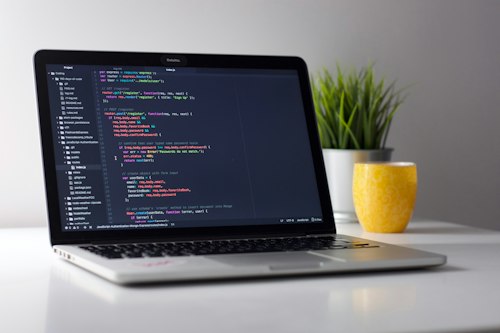
A comprehensive guide to deploying Claude across your engineering organization, including governance, security, and compliance.
Read Article →
Installation instructions for Claude IDE, configuration for different development environments, and team onboarding best practices.
Read Article →
How to generate and maintain accurate API docs, README files, and technical documentation automatically using Claude.
Read Article →Discover how Claude can transform your engineering workflow and what efficiency gains are realistic for your team.